
Preview in:
Filtering Options on lenso.ai
Here are all the filters that you can explore on lenso.ai:
Free Filters
There are two free filter options on lenso.ai:
- Filter by domain - Finds images only on a specific website.
- Filter by keyword - Finds images that are related to a keyword or described by it; for example, the keyword “red” returns images that have red elements.
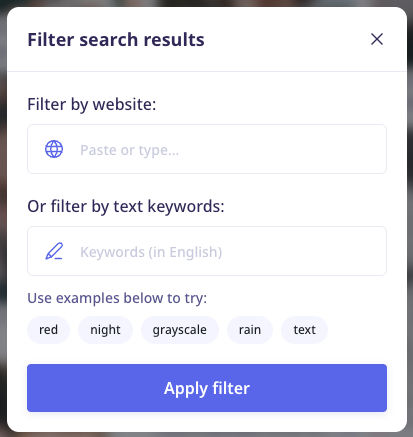
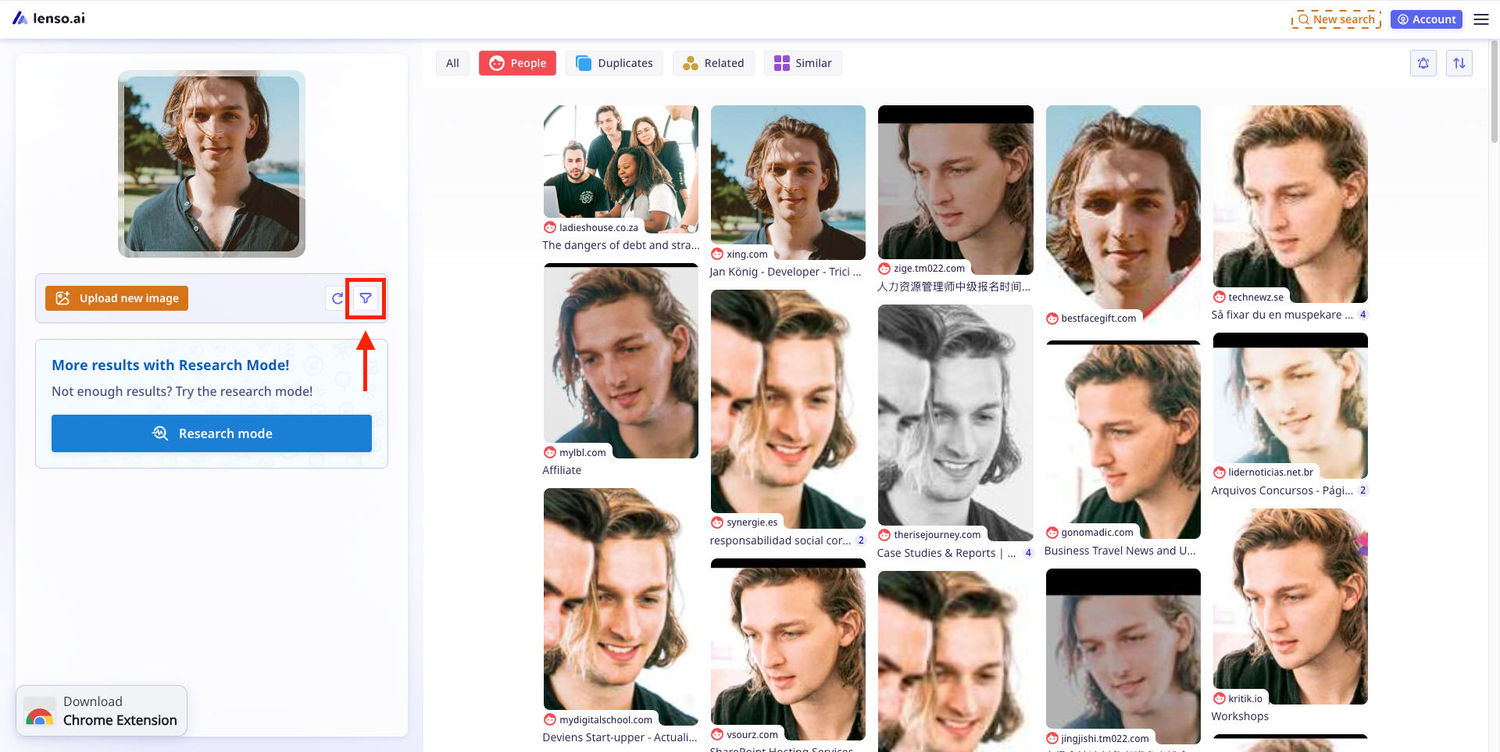
To open free filters, click on the funnel icon:
Advanced Filters
Advanced filters are available only in the Research Mode.
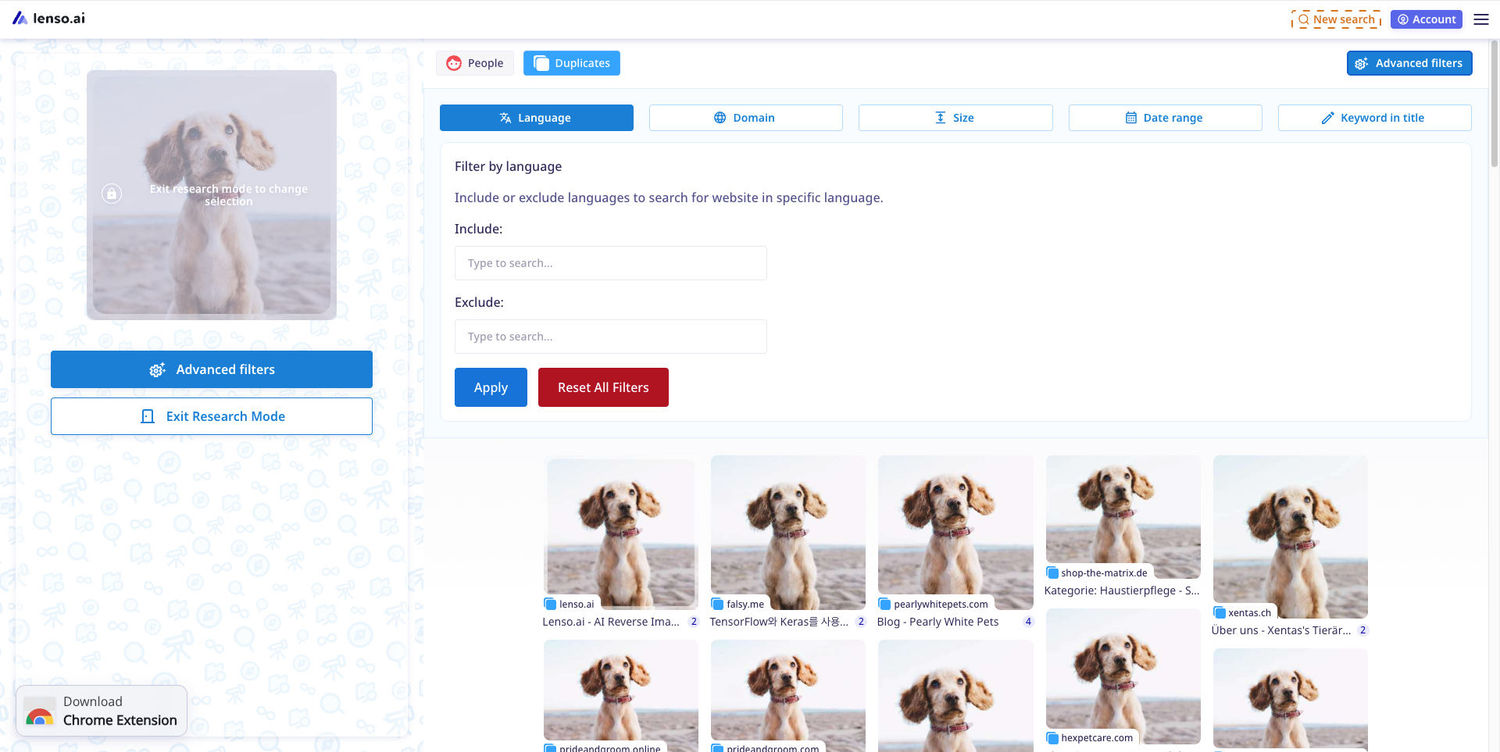
Advanced Filters include:
- Language - Include or exclude languages to search for images posted on websites in specific languages.
- Domain - Include or exclude domains to search for photos posted on specific websites.
- Size - Choose the definition of the results - from a very small to a very big resolution.
- Date range - Choose the date range to see results that were indexed before or after a specific date (or between two dates).
- Keyword in Title - Find a specific word in the page title.
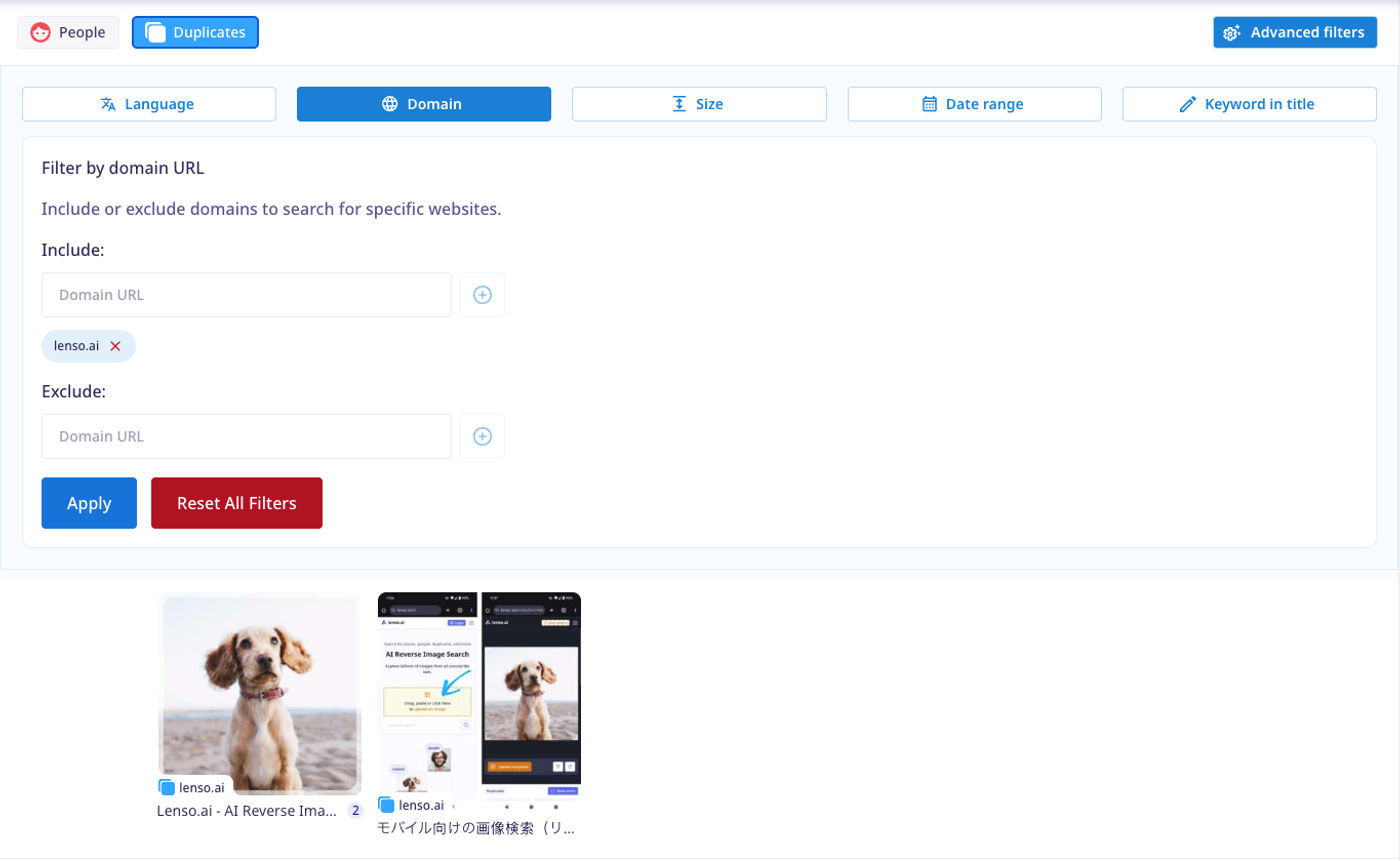
Additionally, Advanced Filters allow you to include and exclude multiple domains, sizes and languages, which is not possible in the free version. They make reverse image search even better!
Learn more about Advanced Filters and Research Mode
Sorting Options on lenso.ai
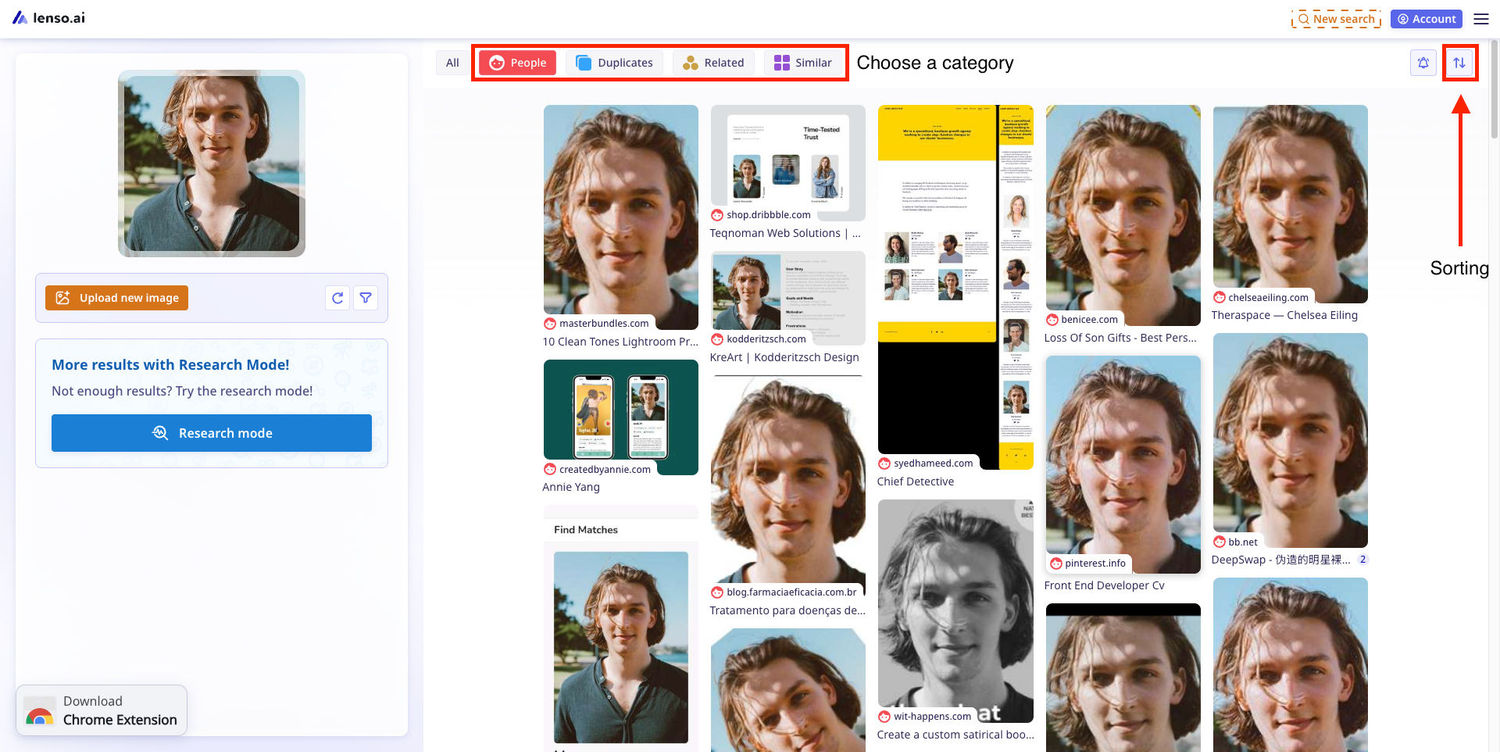
Lenso.ai offers multiple sorting options for free! To open sorting, open any category other than “All”, and choose the arrows icon.
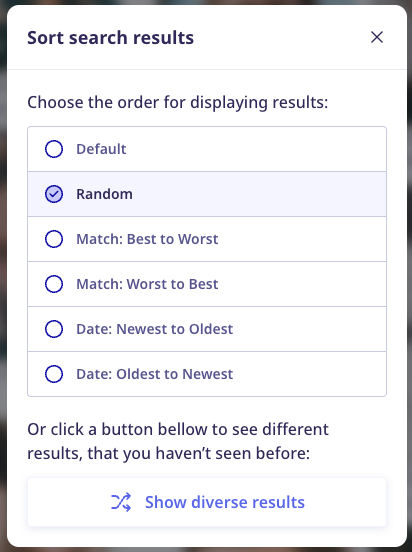
Available sorting options
- Default - Sorts using an algorithm that chooses the best results for the image you are searching.
- Random - The results are showing in a random order
- Match: Best to Worst - Images closest to the query show up first
- Match: Worst to Best - Images that are the least similar to the query show up first
- Date: Newest to Oldest - Results that were indexed most recently show up first
- Date: Oldest to Newest - Results that were indexed the longest time ago show up first
- Show diverse results - Results are shown in the most diverse order based on the data we have on the photo
Thanks to filters and sorting, using lenso.ai is quick and easy! Try it now and see how simple it is to find anything you are looking for faster.

Author
Kinga Jasinska
Marketing Specialist
Continue reading

Guides
How to take down photos of yourself online?
Once something gets published online, it can spread across the internet before you even notice. The problem becomes even more serious when it comes to leaked photos or copyright misuse. So, how can you take down photos of yourself online?
Guides
Reverse image lookup: How to find the original image source?
Reverse image lookup can be a quick solution for any investigator, researcher, or simply a user who wants to find more information about a specific image and its original sources.

Guides
Image copyright protection in the fashion industry: how face search helps detect online misuse of models’ photos?
The fashion industry is one of the most prosperous ones, but it is also highly vulnerable to misuse. There are many fake brands appearing online, as well as a huge amount of model photo misuse, brands illegally reuse images in their own campaigns without respecting copyright laws. How to prevent it? Detect online misuse of models’ photos with face search technology!