Preview in:
What can you find with Reverse Image Search?
Image search can be helpful in finding:
- Duplicate images - exact copies of your images online
- Similar images - pictures that look similar to yours; images inspired by yours
- Edited pictures - photos that were edited and altered, but clearly take from the source material
How to look for duplicates on lenso.ai?
- Open lenso.ai
- Upload your image
- Open the “Duplicates” category to find all identical or edited versions of your picture
To find more specific versions try:
- Using text filters - for example, find black and white versions of the image using the “greyscale” text filter
- Using website filters - find the copies of your picture on a specific website by putting it in the website filter
To open filters, click on the funnel icon.
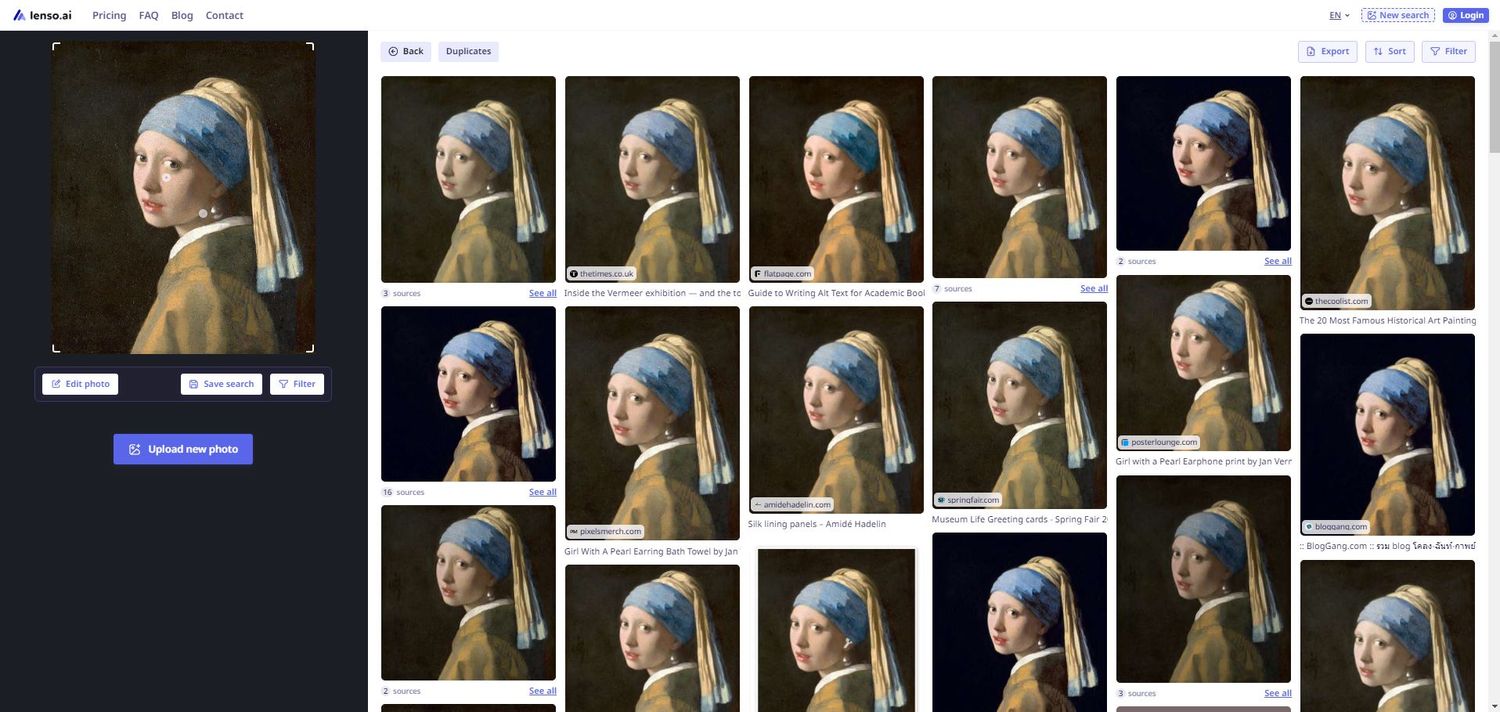
Duplicate image detection can also be valuable for creative teams managing large content libraries. Design teams like Superside often work across hundreds of visual assets, making it important to identify reused, outdated or duplicated images before publishing new campaigns.
If you have trouble with using lenso.ai, try to watch our quick tutorial:
Protect your privacy online
If you found an image that abuses your copyrights, you can:
- Remove it from lenso’s index - ask lenso to remove the image from lenso’s index using DMCA or Opt-out request. The images will be available on the source websites, but they won’t show up on lenso.
- Ask the website owner to remove your picture - Contact the websites directly and ask for image removal.
Copyright Laws Regarding Images - How to Protect Your Business?
To find out what laws are there to protect your copyrights in EU, US and outside, read the article below:
Check if anyone’s using your image without your consent. Make sure to familiarize yourself with the laws in your area and use reverse image search to find your pictures online.

Author
Kinga Jasinska
Marketing Specialist
Continue reading

Guides
How to take down photos of yourself online?
Once something gets published online, it can spread across the internet before you even notice. The problem becomes even more serious when it comes to leaked photos or copyright misuse. So, how can you take down photos of yourself online?
Guides
Reverse image lookup: How to find the original image source?
Reverse image lookup can be a quick solution for any investigator, researcher, or simply a user who wants to find more information about a specific image and its original sources.

Guides
Image copyright protection in the fashion industry: how face search helps detect online misuse of models’ photos?
The fashion industry is one of the most prosperous ones, but it is also highly vulnerable to misuse. There are many fake brands appearing online, as well as a huge amount of model photo misuse, brands illegally reuse images in their own campaigns without respecting copyright laws. How to prevent it? Detect online misuse of models’ photos with face search technology!

Guides
Filtering & Sorting on lenso.ai | Full Guide
If you use lenso.ai often, you’ve probably heard of filtering and sorting. These features are unique to lenso.ai and make the reverse image search fast, easy and precise. In this tutorial, we will explain all the filters and sorting options that you can find on lenso.ai.