Preview in:
Contents
What can I take down with DMCA?
DMCA or Opt-out?
How to paste a proper link into the DMCA form?
I still have issues with filling out the forms
What can I take down with DMCA?
DMCA takes down a specific result/source/link. If you’d like to remove specific results, use DMCA:
If you’d like to remove all images of your face, use the Opt-out form instead.
Here’s a simple guide:

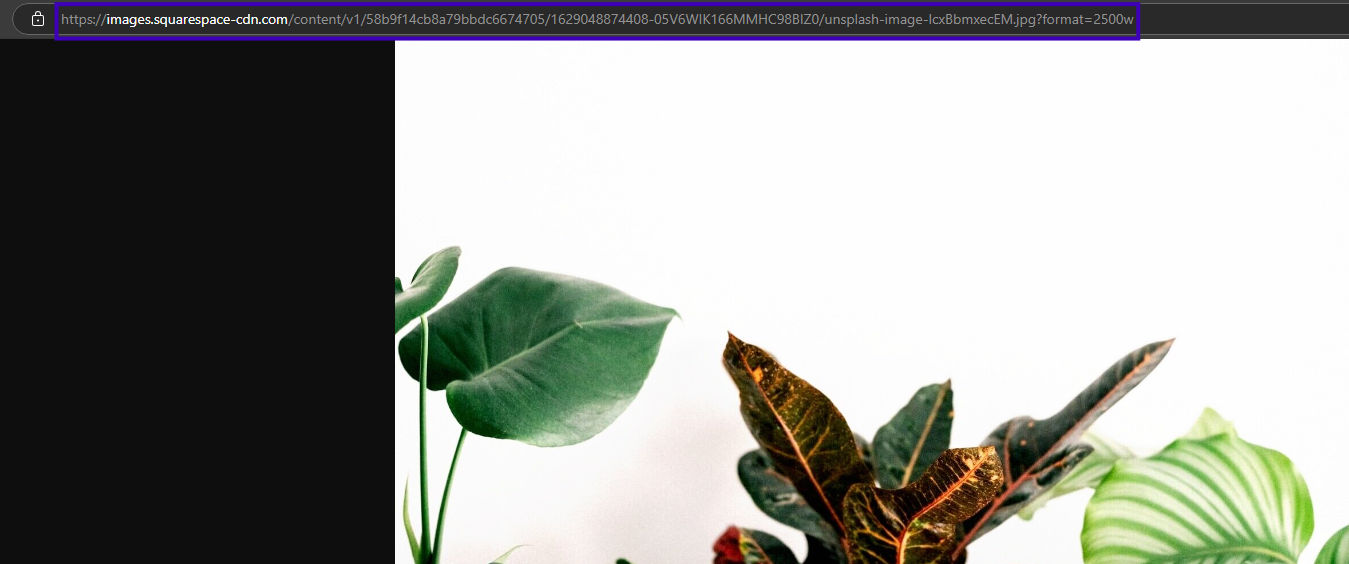
What link should I paste into DMCA?
To copy the right link, follow these instructions (pictures below):
- Make a search
- Choose the result you’d like to remove
- Right-click on the image (on the left-hand side of the screen)
- Copy image address
- Paste it into the form
You can paste multiple links into one form!

You can also unlock the result and copy the link from the source URL.
The image will be removed right away!
More problems?
Read this article to get the full instruction: DMCA/DSA or Opt-Out — Which Form to Choose and How to Fill Out the Request?
We hope this quick tutorial helped you fill out the DMCA form. If you need extra help, contact us!

Author
Kinga Jasinska
Marketing Specialist
Continue reading

Guides
How to take down photos of yourself online?
Once something gets published online, it can spread across the internet before you even notice. The problem becomes even more serious when it comes to leaked photos or copyright misuse. So, how can you take down photos of yourself online?
Guides
Reverse image lookup: How to find the original image source?
Reverse image lookup can be a quick solution for any investigator, researcher, or simply a user who wants to find more information about a specific image and its original sources.

Guides
Image copyright protection in the fashion industry: how face search helps detect online misuse of models’ photos?
The fashion industry is one of the most prosperous ones, but it is also highly vulnerable to misuse. There are many fake brands appearing online, as well as a huge amount of model photo misuse, brands illegally reuse images in their own campaigns without respecting copyright laws. How to prevent it? Detect online misuse of models’ photos with face search technology!

Guides
Filtering & Sorting on lenso.ai | Full Guide
If you use lenso.ai often, you’ve probably heard of filtering and sorting. These features are unique to lenso.ai and make the reverse image search fast, easy and precise. In this tutorial, we will explain all the filters and sorting options that you can find on lenso.ai.