
Preview in:
What are Alerts on lenso.ai?
Alerts are a free feature that lenso.ai offers for all registered users. They are automatic notifications that users receive whenever a photo of their face, or any other photo they have the copyright to, appears online.
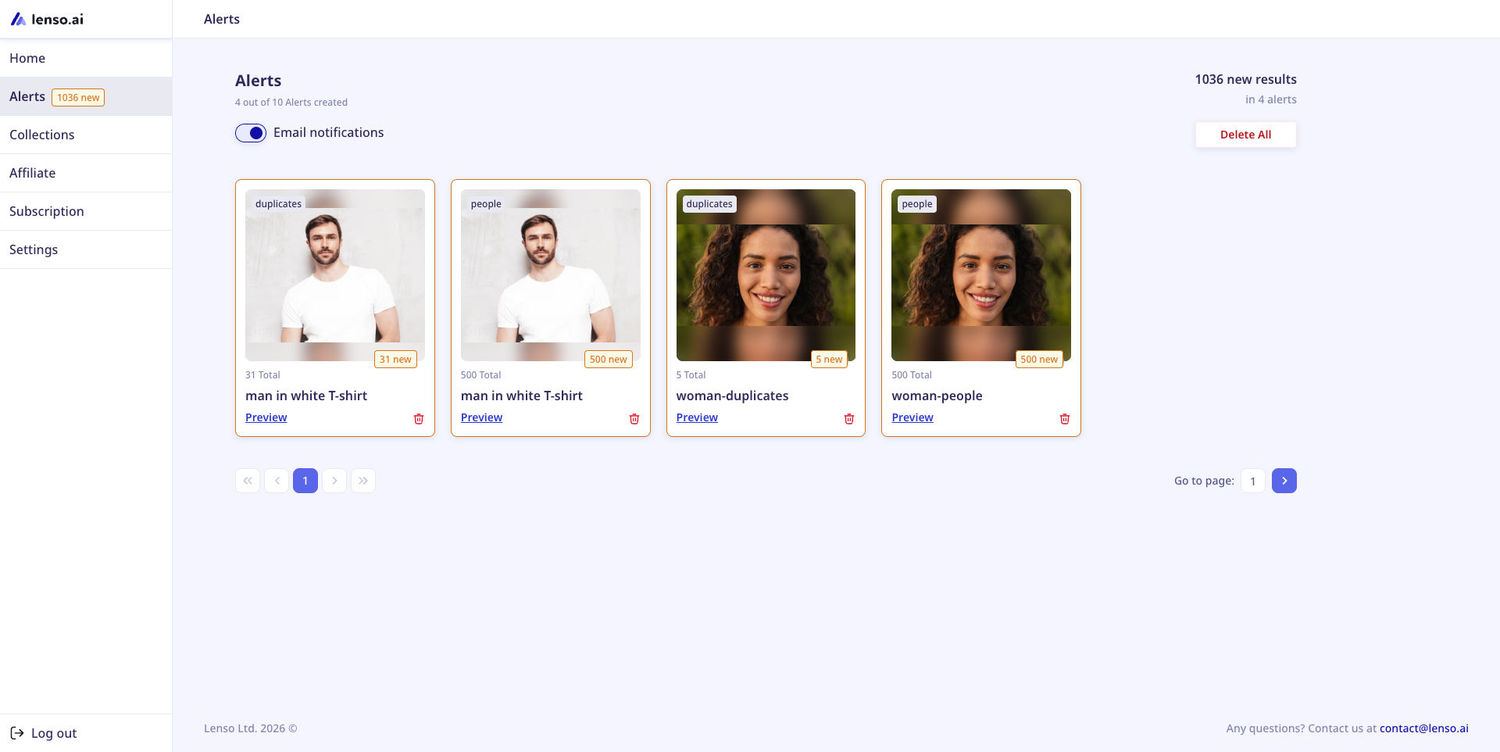
How do Alerts work?
In simple terms, users can set up Alerts for any photo they wish - images from their photo gallery, the pictures of their face, images they found online etc.
The images that users upload are being processed by lenso.ai. Every time lenso finds a match, the user is notified - both via email, and in their user profile.
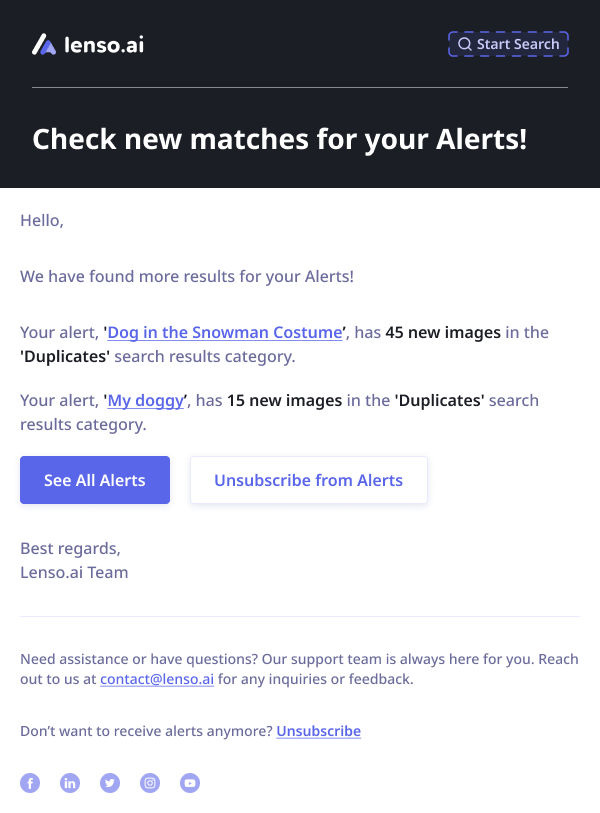
How do I set up Alerts?
To set up an Alert for your photo, follow these simple steps:
- Make a search on lenso.ai with a photo you want to set up an Alert for.
- Go to the People or Duplicates category - these are the categories Alerts work for.
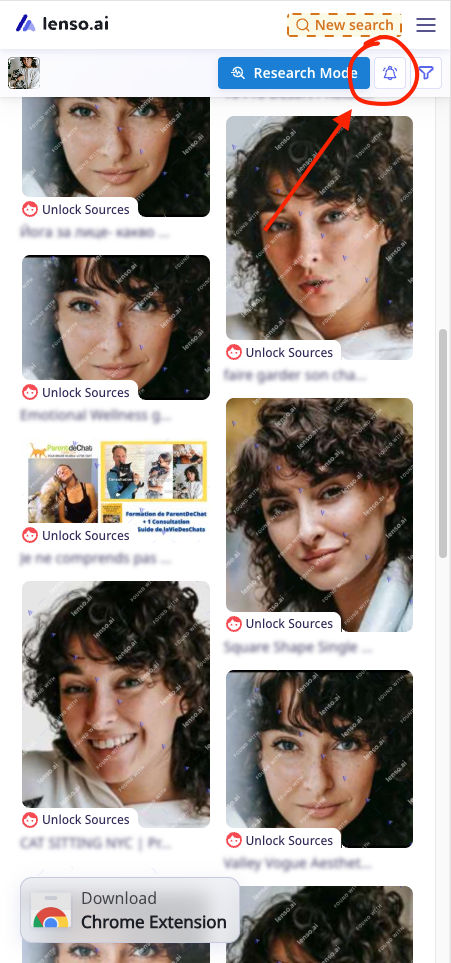
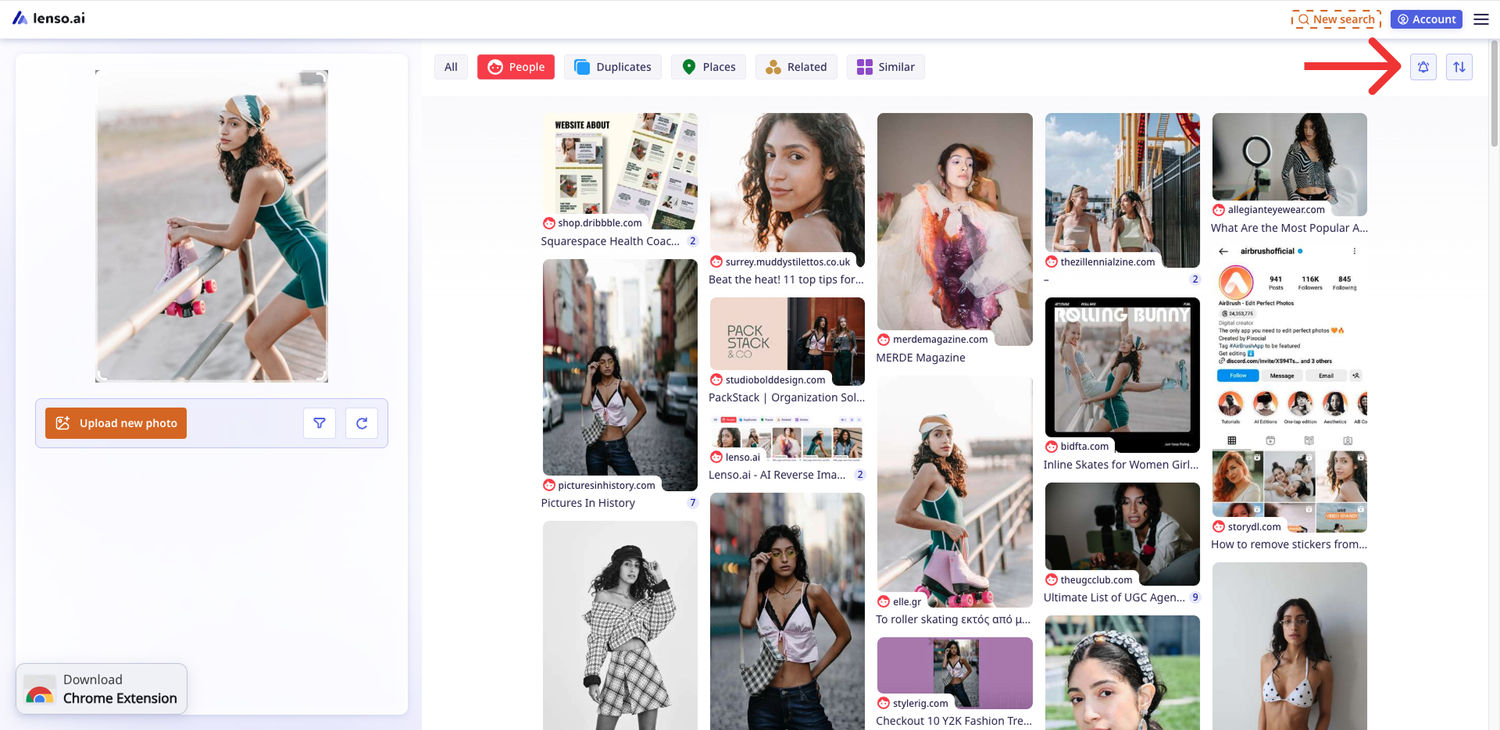
- Click on the bell icon in the top bar.
On mobile:
On desktop:
- Choose the name of the Alert, then the category you’d like to set it up for. You can also set up an account in this step, if you are not already registered.
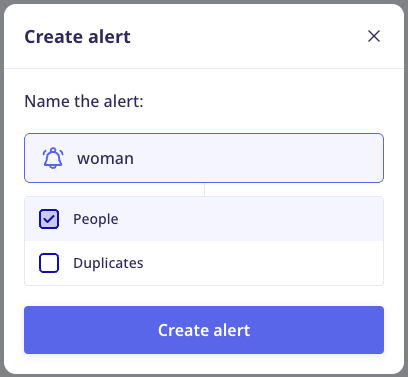
- Confirm and wait for the Alert to be set up.
That’s all! Now you will be notified every time we discover a new result.
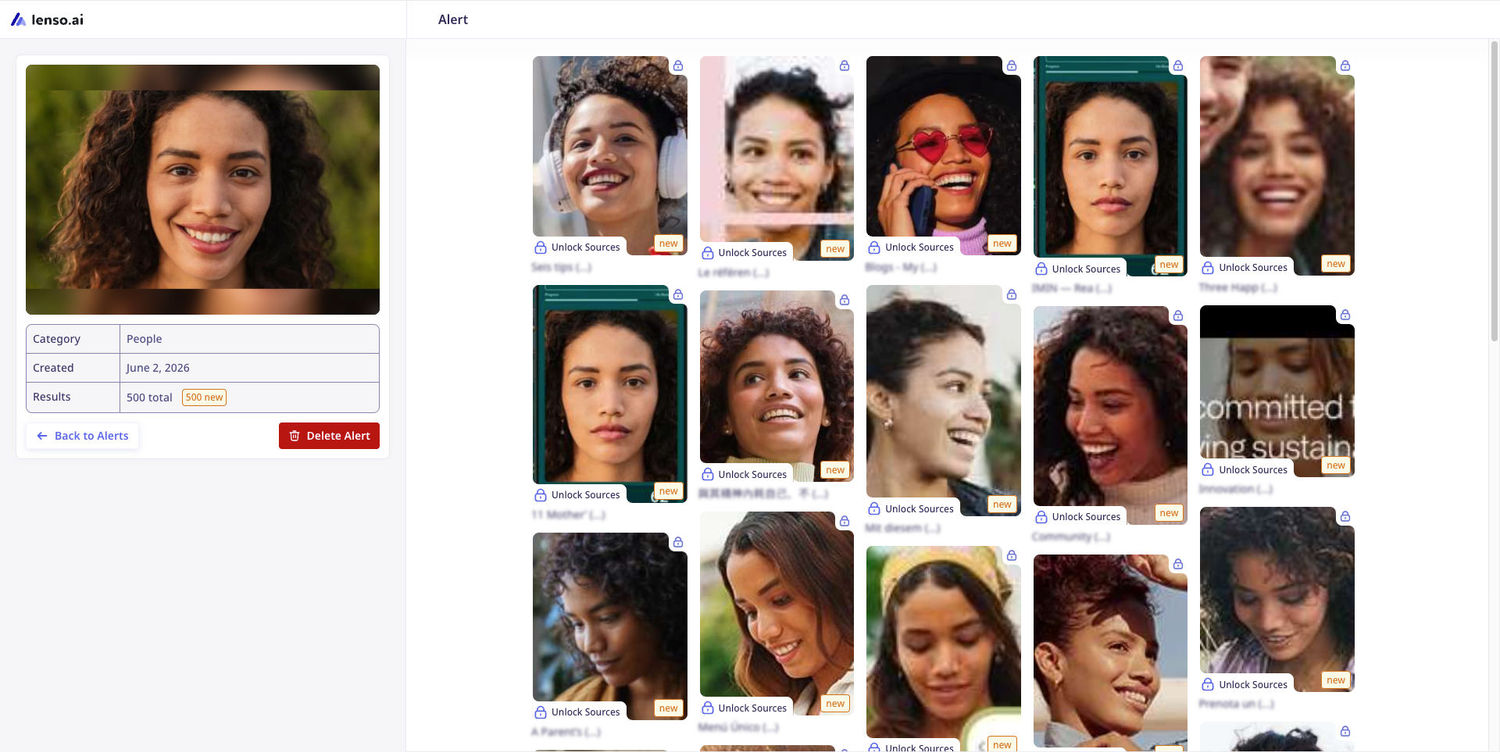
You can see all of your Alerts in the Alerts Panel. Open any Alert to see the newest results and unlock image sources!
Alerts FAQ
How many free Alerts can I set up?
You can set up to 3 free Alerts - that’s plenty for your face and copies of your photos. You can also set up 10, 50, or even 500 Alerts in higher subscription tiers!
Can I turn off email notifications while leaving my Alerts active and running on my profile?
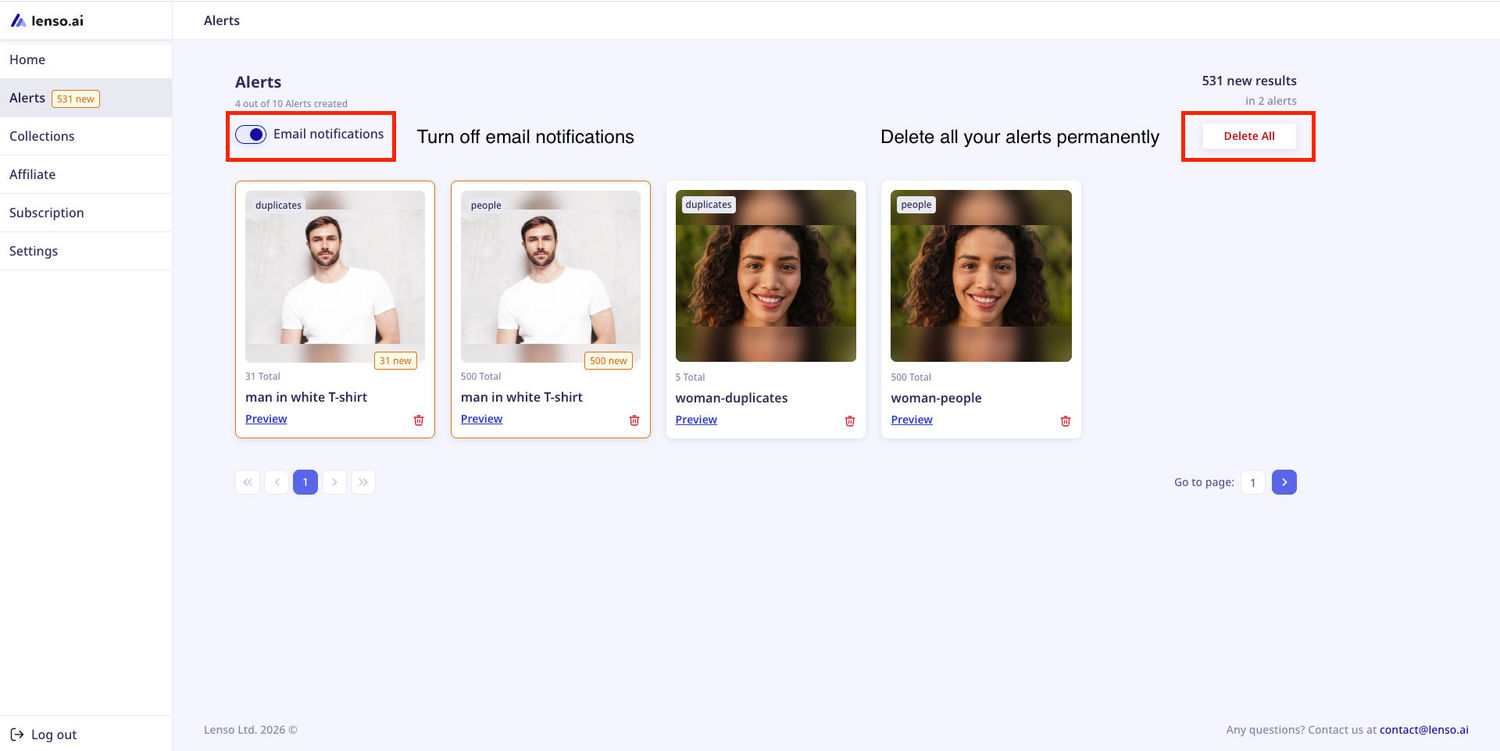
Yes! Visit your Alerts Panel and switch email notifications off. This way, we will still make searches for Alerts, but you will no longer get notified via email. You can still see the Alerts in your profile.
My Alerts are inactive. How do I activate them?
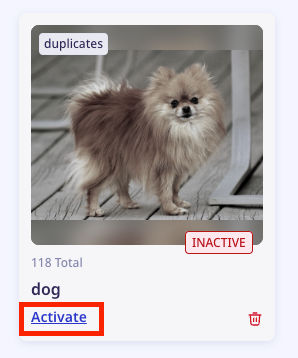
Click on the “Activate” button on the Alert. If you are out of the Alerts for your subscription tier, you will need to upgrade the subscription.
I don’t want lenso.ai to process my Alerts anymore. What do I do?
You can delete all of your Alerts from lenso.ai in one click. Just go to the Alerts Panel and choose “Delete All”. We will no longer make searches or keep your images in our database once you remove them.
Have you tried lenso.ai’s Alerts? If not, it’s a good time to start - it’s free!

Author
Kinga Jasinska
Marketing Specialist
Continue reading
![TOP 10 Reverse Image Search Tools [2026]](https://img.lenso.ai/blog/top-reverse-image-search-tools?updatedAt=1738759682322&tr=w-768,h-auto)
News
TOP 10 Reverse Image Search Tools [2026]
Check out the ultimate list of the best reverse image search tools in 2026! Find the perfect image search engine that allows you to search for similar images or dive deeper with face search, duplicate and location finders.
News
Best PimEyes Alternatives & Competitors for reverse face search in 2026
Looking for an accurate facial recognition tool that's not the popular one? Discover and try best PimEyes alternatives and competitors in 2026.
News
Top Free Reverse Face Search Tools in 2026
Find more information about a specific person using only an image. What is the best reverse face search tool in 2026?


News
Top 3 Safe Reverse Image Search Tools for Checking if Your Photos are Being Used on Fake Profiles
Have you ever wondered if your images are being shared on fake profiles, dating sites or online forums under different names? It’s possible to check it now! Learn how to search for images of your face posted without consent using these top 3 reverse image search websites.